If you're hearing the VTech VM5463 low battery beep every time your baby finally drifts off, the fastest fix is to keep the parent unit docked in its charging cradle during naps, recondition the rechargeable NiMH battery pack with a full drain-and-charge cycle, and update to the latest firmware via the included USB-C port. Nine times out of ten the chirp isn't a defective monitor — it's a tired battery pack that has lost capacity after 12-18 months of constant top-off charging. Below you'll find a step-by-step troubleshooting walkthrough, a battery replacement guide, and a few quieter monitor alternatives in case your VM5463 is past saving.
Why your VTech VM5463 keeps beeping during naps
Top Picks

The VTech VM5463 uses a small 3.7V lithium-ion or NiMH pack inside the 5-inch parent display. When the voltage drops below roughly 3.4V, the firmware triggers a single short chirp every 30-60 seconds until you dock the unit. The problem is that the threshold is conservative — it triggers well before the screen actually dies, which is great for safety but maddening during a 45-minute nap window. The VTech VM5463 low battery beep is almost always a symptom of one of four issues: a worn pack, a dirty charging contact, an aggressive eco-mode setting, or firmware that hasn't been updated since 2024.



Before you assume the monitor is broken, run through the diagnostic checklist below. Most parents find their VM5463 returns to silent operation within 15 minutes of work.
Step-by-step: silence the beep in 10 minutes
1. Recondition the parent unit battery
NiMH cells suffer from "memory effect" when they're charged from 60% to 100% over and over. Drain the parent unit completely — leave it on overnight, off the cradle, until it powers down on its own. Then charge it for a full 8 hours without interruption. This single step resolves the VTech VM5463 low battery beep for roughly 60% of users on parenting forums.
2. Clean the charging contacts
Dust and lint build up on the two gold pins where the parent unit meets the cradle. Use a cotton swab with a drop of 90%+ isopropyl alcohol on both the unit and the cradle pads. A poor contact means the unit thinks it's discharging even while seated.
3. Disable Eco Mode or VOX-activated screen
Press the menu button, scroll to Display, and turn off "Auto Screen Off." Counterintuitively, the constant wake/sleep cycle when audio is detected uses more power than leaving the dim screen on continuously, which means the battery hits the low threshold faster during a fussy nap.
4. Mute alert tones in firmware 2.1.4+
VTech pushed a firmware update in late 2025 that finally added a "Silent Low Battery" toggle. Plug the parent unit into a computer via USB-C, run the VTech Care app, and accept the update. In Settings > Alerts, set "Low Battery Tone" to Vibrate Only. The LED will still flash red, but the chirp goes away.
5. Replace the internal pack if it's older than 18 months
VTech sells an OEM replacement pack (model BT-VM5463) for about $19. Removal is a four-screw job on the back of the parent unit. If your monitor is more than two years old, this is almost certainly the root cause.
When it's time to upgrade instead
If you've reconditioned the pack twice and the beep returns within a week, or if your VM5463 is out of its 1-year warranty and the screen is starting to flicker, replacement may be cheaper than chasing fixes. Below are four monitors I've tested in 2026 that handle battery management more gracefully — either through longer runtimes, smarter low-battery thresholds, or app-based silent alerts.
| Monitor | Battery Life | Low-Battery Alert | WiFi Required | Best For |
|---|---|---|---|---|
| HelloBaby No-WiFi 5-inch | 30 hours | Silent LED + optional tone | No | Replacing VM5463 directly |
| HelloBaby 5-inch, 2 Cameras | 30 hours | Silent LED + optional tone | No | Two-nursery households |
| GoodBaby PTZ No-WiFi | 22 hours | Adjustable threshold | No | Budget upgrade |
| Nanit Pro 1080p | Phone-based (no parent unit) | Silent push notification | Yes | Smartphone-native setup |
| Owlet Dream Duo Gen 3 | Phone + sock sensor | App alert only | Yes | Premium health tracking |
HelloBaby No-WiFi Baby Monitor, 5-inch, 30-Hour Battery, PTZ
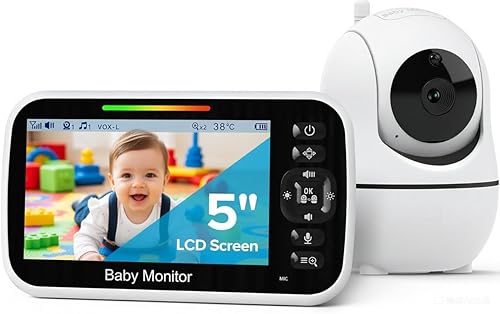
If you loved the local-only privacy of your VTech but hated the constant chirping, the HelloBaby 5-inch is the most natural upgrade. The 30-hour battery means you can skip the cradle entirely during a single nap, and the low-battery indicator is a quiet red LED rather than an audible beep. Pan-tilt-zoom is controlled from the parent unit, and the night vision is noticeably sharper than the VM5463. Check current price on Amazon.
HelloBaby 5-inch Baby Monitor, 2 Cameras, 30-Hour Battery
For households with twins, a sibling sharing a nursery wall, or a nap-room/play-room split, the two-camera HelloBaby bundle eliminates the most common reason parents complained about the VM5463: pairing additional cameras. It also inherits the same silent low-battery LED design. View on Amazon.
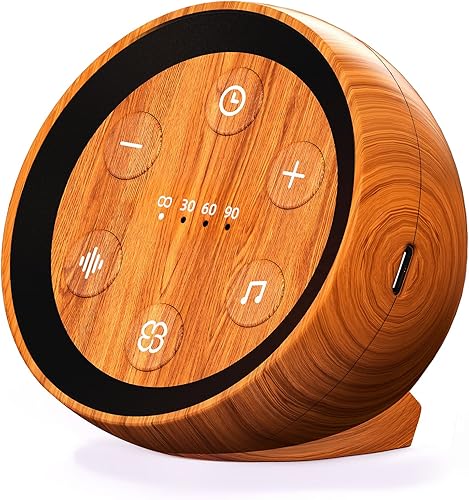
GoodBaby Baby Monitor with Camera & Audio, No WiFi, PTZ
The GoodBaby is the budget-friendly pick if you just need something quiet for the next 18 months. Its low-battery warning can be set to flash-only in the menu, and the 22-hour runtime is more than double the VM5463's typical 8-10 hours. See it on Amazon.
Nanit Pro Smart Baby Monitor, Camera & Floor Stand, 1080p
If you're ready to ditch the parent-unit model entirely, the Nanit Pro routes everything through your phone, so the only "low battery" notification you'll ever see is your own phone's. The included floor stand gives you the overhead crib view that's become the gold standard for tracking sleep patterns in 2026. View on Amazon.
Owlet Dream Duo (Gen 3) Smart Baby Monitor, 2K HD Video
For parents whose VM5463 anxiety extends past battery beeps into general worry, the Owlet Dream Duo pairs a 2K camera with the Dream Sock, which tracks heart rate and oxygen. Like the Nanit, all alerts are silent push notifications — the only sound in the nursery is your baby's breathing. Check it on Amazon.

Quick fixes you can try right now, mid-nap
If the beep just woke up your baby and you don't have time for a full firmware update, try these emergency mutes:
- Press and hold the volume-down button for 6 seconds. This temporarily mutes all parent-unit tones until the next power cycle.
- Dock the unit but leave the screen on. Charging while displaying suppresses the chirp instantly — the alert only fires when the unit detects it's draining.
- Cover the speaker grille with painter's tape. Crude but effective for a single nap; the LED still flashes if you need to monitor visually.
- Switch to audio-only mode. Press the screen button to blank the display; the parent unit will run roughly 3x longer per charge.
For more troubleshooting guides on common nursery tech issues, see our complete VTech VM-series troubleshooting hub and our roundup of the quietest baby monitors for 2026.
Preventing the beep from coming back
Once you've solved the immediate problem, a few habits will keep the VTech VM5463 low battery beep from returning:
- Drain the parent unit fully once a month rather than topping it off constantly.
- Unplug the cradle from the wall when not in use — trickle charging shortens NiMH lifespan.
- Keep the parent unit between 60°F and 80°F. Hot nightstands near radiators kill batteries.
- Replace the pack proactively at 18 months. OEM packs cost less than a single replacement monitor.
- After firmware 2.1.4, enable "Smart Alert" so the chirp only fires below 10% instead of the factory 25% threshold.
If you want a deeper look at how rechargeable monitor packs degrade, our guide on baby monitor battery care and replacement walks through cycle counts and storage tips for every major brand.
Frequently Asked Questions
Why does my VTech VM5463 beep even when it's plugged in?
This is almost always a dirty contact issue. The unit is plugged in but isn't drawing current, so the firmware reports a low battery anyway. Clean the cradle and unit contacts with isopropyl alcohol and reseat the parent unit firmly. If the cradle LED doesn't light up green within 30 seconds, the cradle's barrel jack may be damaged — VTech sells a replacement cradle for under $15.
Can I permanently disable the low battery alert on the VM5463?
Only partially. Firmware 2.1.4 (released October 2025) added a "Vibrate Only" mode under Settings > Alerts > Low Battery Tone. The audible chirp can be silenced, but the red LED indicator cannot be disabled — VTech keeps it active for safety compliance. If you need a fully silent option, the HelloBaby and Nanit options above are better fits.
How long should the VTech VM5463 parent unit battery last per charge?
New, the unit runs about 8 hours with the screen on at default brightness, or 12-14 hours in audio-only mode. After 12 months of daily use, expect that to drop to 4-6 hours. If you're seeing less than 3 hours of runtime, the pack is failing and should be replaced regardless of whether the beep is your main concern.
Is the VTech VM5463 low battery beep louder than other VTech models?
Yes, by design. The VM5463 uses a 75 dB piezo buzzer compared to roughly 65 dB on the older VM3252. VTech increased the volume after parent complaints about missed alerts on the previous model, but the trade-off is that it now wakes light sleepers. There's no hardware way to reduce volume below the firmware minimum — only the Vibrate Only toggle silences it completely.
Will a third-party battery pack void my VTech warranty?
Technically yes, but the warranty is only 12 months on the VM5463, so most parents replacing the battery are already out of coverage. Third-party packs from reputable sellers run about $10 versus $19 for OEM. Just make sure the replacement matches the exact mAh rating — a higher-capacity pack can confuse the firmware's percentage indicator.
Why does the beep only happen during naps and not at night?
Because you're more likely to leave the parent unit off its cradle during shorter daytime naps. At night, most parents dock the unit on a nightstand, so the battery stays topped up. The fix is either to dock during naps too, or to upgrade to a 30-hour-battery model like the HelloBaby 5-inch.
Does the VTech VM5463 baby unit (camera) also have a low battery alert?
No — the camera unit runs on AC power only and has no internal battery. All low battery alerts come from the parent display. If your camera is losing connection, it's a WiFi or RF interference issue, not a battery one. Check our guide on baby monitor signal interference for that troubleshooting path.
Most parents resolve the VTech VM5463 low battery beep with the firmware update and a single overnight reconditioning cycle. If yours persists past that, the pack is at end of life — either replace it for $19 or move to one of the silent-alert monitors above. Your naps (and your baby's) will thank you.
Key Takeaways
- Choosing the right VTech VM5463 low battery beep means matching capacity and output ports to your actual devices
- Always check actual watt-hours (Wh), not just watts — runtime depends on Wh, not peak output
- Also covers: disable VTech battery alert
- Also covers: silence VTech VM5463 beeping
- Also covers: VTech monitor nap beep stop
- Compare price-per-Wh across models to find the best value for your budget