The best baby monitor for twins in separate rooms with one parent unit is a dual-camera system that supports simultaneous split-screen viewing, long wireless range, and independent two-way talk per camera. For most twin parents in 2026, a non-WiFi system like the HelloBaby 5-inch with two cameras handles two nurseries on different floors without lag, while smart options like the Nanit Pro or Owlet Dream Duo work better if you want sleep analytics on a phone alongside a dedicated parent unit. Below, we break down the top picks, range expectations, and what to look for when one twin sleeps upstairs and the other downstairs.
Why a single parent unit matters when twins sleep apart
Once twins transition out of a shared bassinet — usually between 6 and 12 months — many families move them into separate bedrooms to protect sleep training. That creates a real hardware problem: you do not want two parent units beeping at different volumes on your nightstand, and you definitely do not want to juggle two phone apps at 3 a.m. A proper baby monitor for twins in separate rooms pairs two cameras to one screen, lets you split-view both nurseries at once, and routes audio alerts through a single speaker so you can react instantly without fumbling.



The other reason a single parent unit wins: range consistency. With twins on opposite ends of the house, a dedicated 2.4 GHz or FHSS radio link typically punches through drywall and floors more reliably than WiFi, especially in older homes with thick plaster or in apartments where channel congestion is brutal. If your nurseries are more than 30 feet apart or separated by a floor, prioritize a system with a stated open-air range of 900+ feet so you still get a usable signal indoors.
Comparison: best baby monitors for twins in separate rooms (2026)
| Monitor | Cameras included | Parent unit | WiFi required | Best for |
|---|---|---|---|---|
| HelloBaby 5-inch (2 cameras) | 2 | 5-inch, 30-hr battery | No | Out-of-the-box twin setup |
| HelloBaby PTZ 5-inch | 1 (expandable to 4) | 5-inch, 30-hr battery | No | Adding a second camera later |
| GoodBaby PTZ No-WiFi | 1 (expandable) | Color LCD | No | Budget twin households |
| Owlet Dream Duo (Gen 3) | 1 camera + sock | Phone app | Yes | Health data per twin |
| Nanit Pro | 1 (expandable) | Phone app + optional display | Yes | Sleep analytics for each twin |
Top picks for twins in separate rooms
1. HelloBaby 5-inch Baby Monitor with 2 Cameras — best overall twin bundle
This is the most straightforward answer for a baby monitor for twins in separate rooms: it ships with two cameras pre-paired to one 5-inch parent unit. The split-screen mode shows both nurseries simultaneously, and the 30-hour battery on the parent unit means you can carry it around the house all day without hunting for a charger. There is no WiFi, no app, and no subscription — a meaningful advantage if you are uneasy about cloud video of your babies or you live somewhere with spotty internet. Open-air range is rated at 1,000 feet, which translates to roughly 150–200 feet through interior walls in a typical home, enough to cover most two-story setups. Check the HelloBaby 2-camera bundle on Amazon.
2. HelloBaby No-WiFi PTZ 5-inch — best if you want pan/tilt/zoom on each twin
If your twins are mobile crawlers or starting to climb out of cribs, pan-tilt-zoom (PTZ) becomes essential. This HelloBaby model uses remote-controlled PTZ from the parent unit so you can sweep across each nursery without getting out of bed. You buy a single camera in the base kit and pair a second add-on camera to the same parent unit — Amazon listings for the add-on are clearly labeled as compatible. Once paired, split-screen and rotating views work just like the bundled 2-cam kit. The 30-hour parent-unit battery is identical, and the system supports up to four cameras total if you eventually add a playroom or living room view. See the HelloBaby PTZ monitor on Amazon.
3. GoodBaby PTZ No-WiFi Baby Monitor — best budget pick
If your twin budget is stretched thin (and whose isn't), the GoodBaby PTZ monitor is the most affordable no-WiFi option that still supports adding a second camera for the second nursery. The video is 720p rather than 1080p, but on a small parent-unit screen the difference is barely perceptible. Two-way talk works per camera, you get standard temperature alerts, and the FHSS radio link keeps the feed encrypted and lag-free. It is the right call if you want a dedicated parent unit but do not want to spend over $150 for the whole twin setup. View the GoodBaby PTZ monitor on Amazon.
4. Owlet Dream Duo (Gen 3) — best for health-conscious twin parents
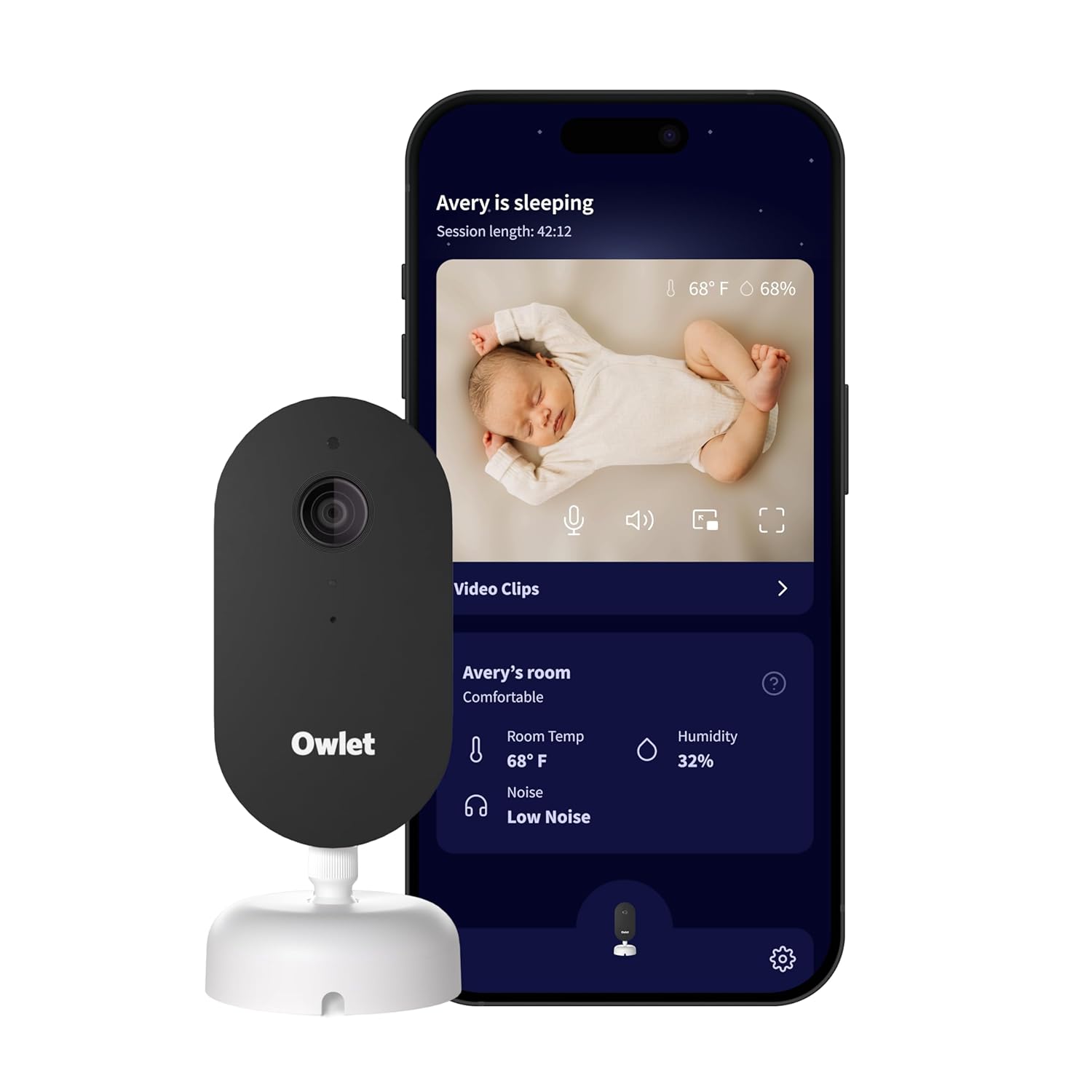
The Dream Duo is the unusual pick here because the "parent unit" is your phone — but for twin parents who want oxygen and heart-rate tracking on each baby, it is the gold standard. You buy two Dream Duo kits (one per twin), pair both socks and both cameras to the Owlet app, and the dashboard shows two tiles side by side. The 2K HD video is the sharpest on this list, and the AI-driven sleep insights flag patterns like one twin waking the other through the wall. Caveat: this is a WiFi product, so your mesh network needs to reach both nurseries cleanly. Browse the Owlet Dream Duo on Amazon.
5. Nanit Pro Smart Baby Monitor — best for sleep analytics per twin
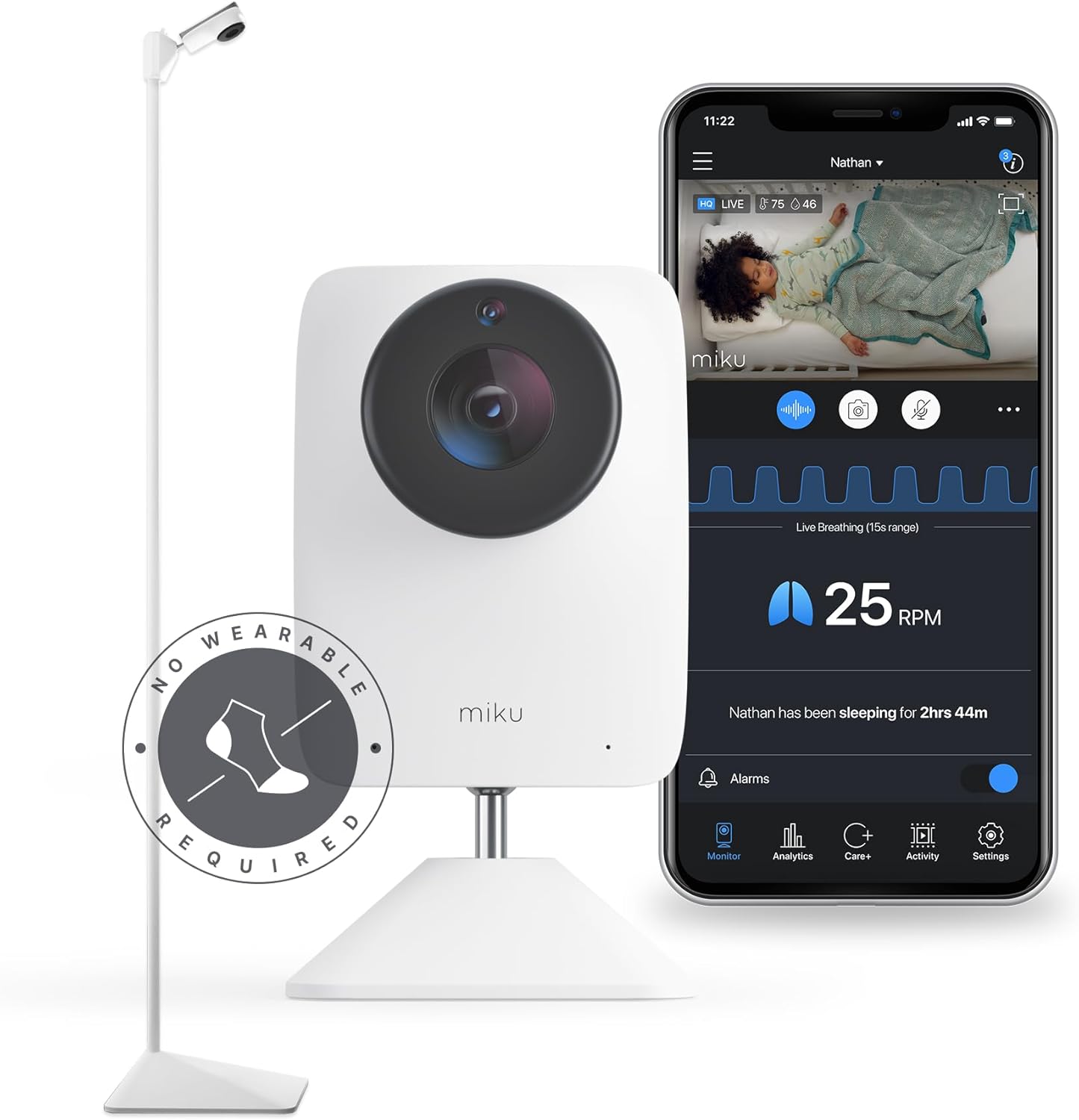
Nanit's overhead-mounted camera produces the best birds-eye crib view in the industry, and its breathing-band technology tracks each twin's respiratory pattern without a wearable. Buy two Nanit Pros, mount one over each crib, and the app gives you a unified split view plus per-twin sleep scores, time-to-sleep stats, and night-waking summaries — incredibly useful when you are sleep-training twins on staggered schedules. Like Owlet, your "parent unit" is the phone, though Nanit also sells a dedicated multi-view display add-on if you want a true single-screen experience on a nightstand. See the Nanit Pro on Amazon.
What to look for in a twin-separated-rooms monitor
Split-screen view is non-negotiable. If a monitor only supports cycling between cameras every few seconds (sometimes called "scan mode"), you risk missing a 4-second cry that triggers a full meltdown in the other nursery. True simultaneous split-screen means both video feeds render at once, even if the resolution drops slightly. Verify this in product photos — not just marketing copy — before you buy.
Range matters more than spec sheets suggest. Manufacturers quote open-air range, which assumes a clear line of sight. Inside a home, expect roughly 20–25% of the advertised number through drywall, less through brick, plaster, or stucco. For a typical 2,000 sq ft two-story home, anything rated under 900 feet open-air will likely struggle to reach a basement nursery from a third-floor primary bedroom.
Battery life on the parent unit is the unsung hero. Twin parents are mobile — pacing hallways, doing laundry between feeds, taking calls in the yard. A unit that needs charging every 6 hours is a tether. Look for 12+ hours minimum; 24–30 hours is ideal.
For more on choosing between WiFi and non-WiFi systems, see our guide on WiFi vs non-WiFi baby monitors, and if you are still deciding on room placement read when to move twins to separate rooms.

Setup tips for a twin baby monitor across two rooms
Mount the cameras at the same height in both nurseries — usually 6 to 7 feet off the floor, angled down at the crib. Consistency makes split-screen viewing easier on your eyes at 2 a.m. when you are scanning for movement. If one camera is wall-mounted and the other is on a shelf, the perspective shift will slow your reaction time.
Test the signal at the parent unit's primary location (your bedside) before you finalize camera placement. Walk between the two nurseries with the unit and check for dropouts; if you notice them, reposition the cameras closer to a doorway or use a corner mount to clear interior walls.
If you go with a WiFi system like Nanit or Owlet, place a mesh node within 15 feet of each camera. Twin video streams will saturate a single router faster than you might expect, especially in 2K resolution.

For nursery temperature and humidity strategy across two rooms, check our twin nursery climate control guide.
Frequently Asked Questions
Can one baby monitor parent unit handle two cameras in different rooms?
Yes — most non-WiFi monitors sold in 2026 support 2 to 4 paired cameras on a single parent unit, and all the picks on this list do. The HelloBaby 5-inch ships with two pre-paired cameras out of the box. Smart monitors like Nanit and Owlet route both feeds to one phone app, which functions as your unified parent unit.
What range do I need for twins in nurseries on different floors?
Look for an open-air range of at least 900 feet, which typically translates to 150–200 feet through interior walls. If your nurseries are separated by a floor plus more than 30 horizontal feet, a non-WiFi FHSS system tends to be more reliable than WiFi because it does not depend on router placement.
Do I need two separate baby monitors for twins in different rooms?
No, and you should avoid that setup. Two parent units mean two sets of alerts, two charging cables, and a higher chance of missing one twin while you are responding to the other. A single dual-camera system with split-screen is the standard solution for twin households in 2026.
Is a WiFi or non-WiFi baby monitor better for twins?
Non-WiFi monitors are more reliable for pure video and audio monitoring across separated rooms, with lower latency and zero subscription costs. WiFi monitors win if you want sleep analytics, breathing tracking, or remote viewing while you are at work — useful features when you are tracking two babies' patterns simultaneously.
Can I add a second camera to an existing baby monitor later for my twin?
Yes, if you bought an expandable system. HelloBaby and GoodBaby both sell single add-on cameras that pair to the original parent unit. Confirm the model number on your existing parent unit matches the add-on listing — pairing across product generations is hit-or-miss.
How do I keep one twin from waking the other through the monitor's two-way talk?
Always confirm which camera is selected before pressing the talk button. On split-screen view, most monitors require you to tap or highlight a single camera before two-way talk routes there. Owlet and Nanit apps make the active camera obvious with a colored border; on the HelloBaby, look for the small camera-number indicator at the top of the screen.
Are video baby monitors safe for long-term use with twins?
Yes. Both FHSS non-WiFi monitors and standard WiFi baby cameras operate at radio power levels well below FCC residential limits. The bigger safety concern is cord placement — every camera, especially wall-adjacent ones, should have the power cord secured 3+ feet from the crib to prevent strangulation hazards as twins become mobile.
Key Takeaways
- Choosing the right baby monitor for twins in separate rooms means matching capacity and output ports to your actual devices
- Always check actual watt-hours (Wh), not just watts — runtime depends on Wh, not peak output
- Also covers: twin baby monitor one parent unit
- Also covers: dual camera monitor different rooms
- Also covers: baby monitor two nurseries
- Compare price-per-Wh across models to find the best value for your budget