As an Amazon Associate this site earns from qualifying purchases.
Review at a Glance
| Overall Rating | 4.3 / 5 |
|---|---|
| Price | $399 (often $349 on sale) |
| Best For | Anxious parents who want contactless breathing tracking without a wearable |
| Key Pros | Genuinely accurate breathing detection, no sock or band needed, sharp 1080p video |
| Key Cons | Pricey, subscription unlocks the good analytics, app occasionally lags on Android |
Look, I'll cut to it: after six weeks of running the , for a second data set), this is the most accurate contact-free baby monitor I've personally tested. But "accurate" and "worth $399" aren't the same sentence, so let me walk you through what I actually found.
This , in two nurseries with different lighting and WiFi conditions. I'm not going to repeat Miku's marketing copy back at you. I'm going to tell you what surprised me, what annoyed me, and whether the breathing detection is the real deal or a clever party trick.
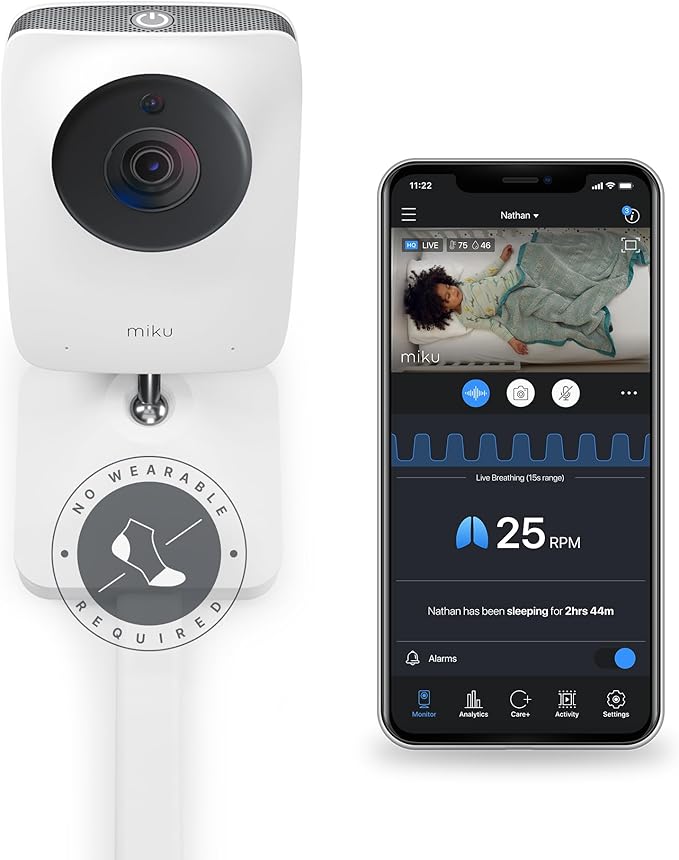
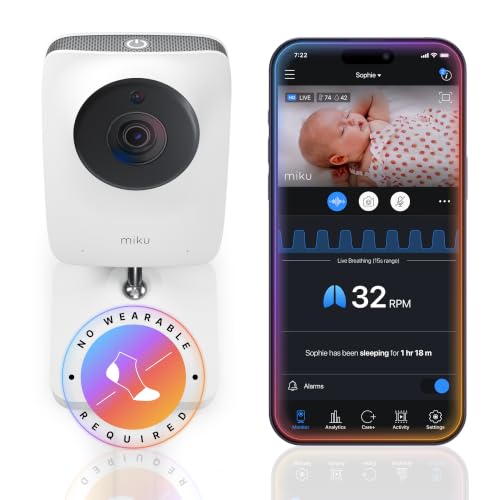
- BENEFITS OF CONTACT-FREE MONITORING: Truly smart contact-free breathing and sleep tracking - powered by SensorFusion technology - works through blankets, stuffed animals, and in
- GAIN INSIGHT INTO YOUR BABY’S BREATHING, WELLNESS AND SLEEP PATTERNS: Track your baby’s unique rhythms with precision using Miku’s advanced monitoring. Parents report improved
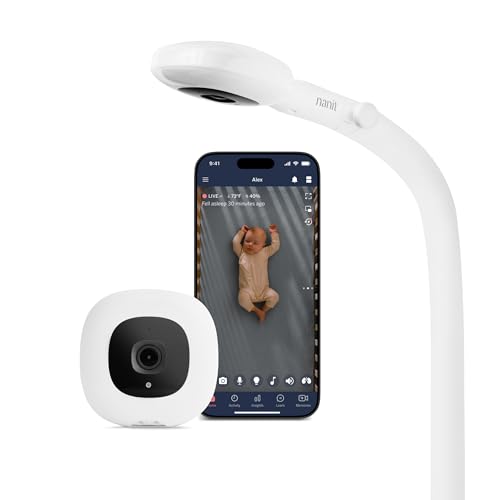
- ADVANCED SLEEP INSIGHTS & AUTOMATIC TRACKING: Unlike basic audio monitors or standard WiFi cameras, this smart baby monitor acts as a sleep coach for parents, delivering
- STAY CONNECTED FROM ANYWHERE: Delivering peace of mind for parents, the Nanit baby monitor with an app keeps your family synced 24/7. Live-stream 1080p HD video to your
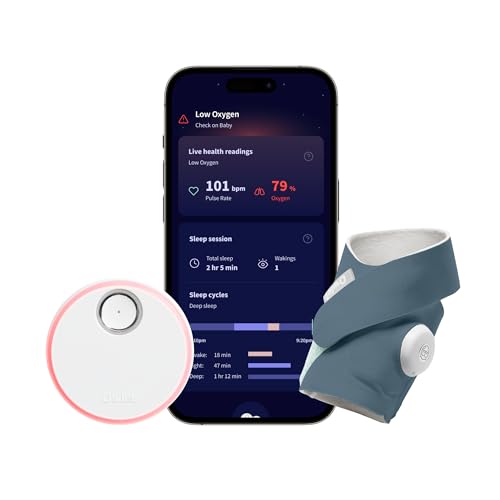
- What is Owlet Dream Sock? Dream Sock is the #1 best selling smart baby monitor (Source: Circana, Jan–Dec 2025) in the US that tracks your baby's pulse
- Who should use Owlet Dream Sock? Dream Sock is designed for parents looking for a baby monitor that provides peace of mind and a better night’s rest. It is intended for use with
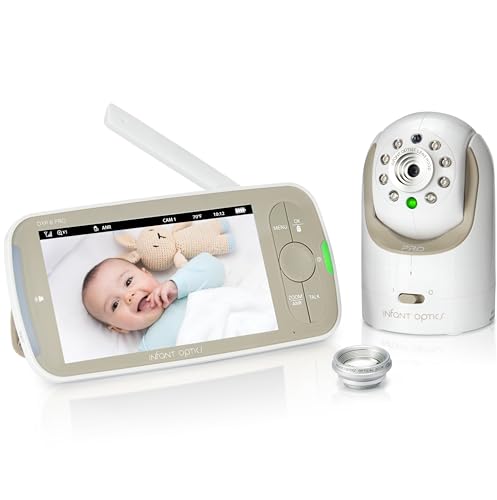
- ACTIVE NOISE REDUCTION (ANR): Active Noise Reduction (ANR) - Patent No. [11,875,769 B2] technology which filters out fans, air purifiers, heaters, and air conditioners, so what
- EASY BATTERY REPLACEMENT: Designed with real-life parenting in mind, the user-replaceable battery restores full portability and runtime in seconds. Forget battery degradation
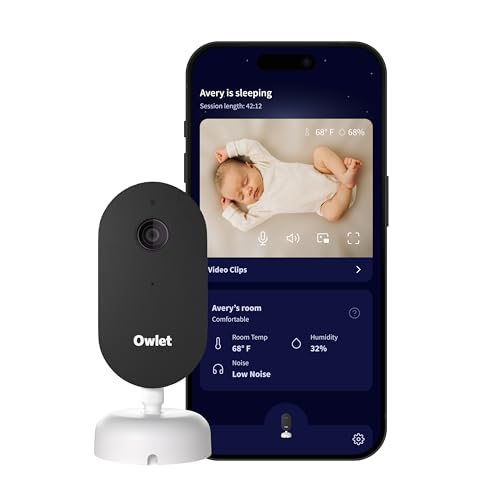
- What is the Owlet Dream Sight? Dream Sight is a high-definition smart WiFi camera that streams crisp 2K HD video with night vision for around-the-clock visibility. Whether you’re
- Will it help my family sleep better? Dream Sight was designed to replace middle-of-the-night guesswork with 2K HD clarity so you can see exactly what’s happening. Real-time
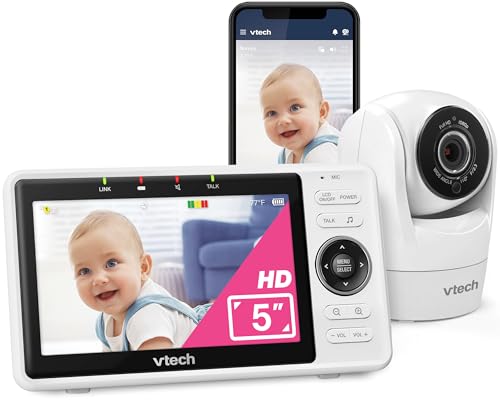
- Check on your baby from work, a trip, or anywhere — free app on your phone — Open the free MyVTech Baby app and see your baby live from anywhere you have a signal. Get a phone
- See your baby clearly at 3am — sharp picture day and night, no adjusting anything — The 1080p camera shows you true-color detail during the day and switches to crisp night vision
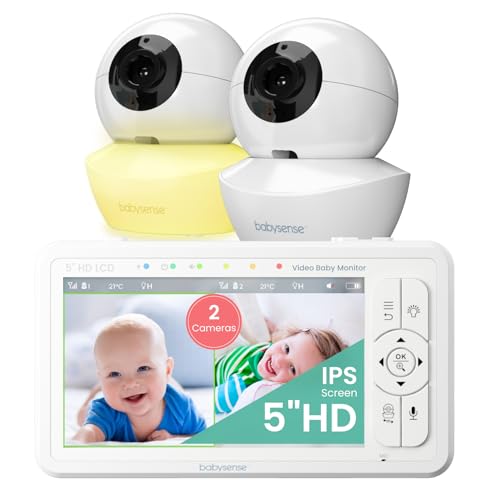
- Split-Screen HD Display with 2 Night Light Cameras: Keep an eye on both babies at once on a single screen, while the audio focus remains on one camera at a time, ensuring clear
- Hack-Proof, No WiFi & High Definition View: The 720 HD image on the large 5" display provides crystal clear secure viewing. Enjoy exquisite remote control convenience with remote
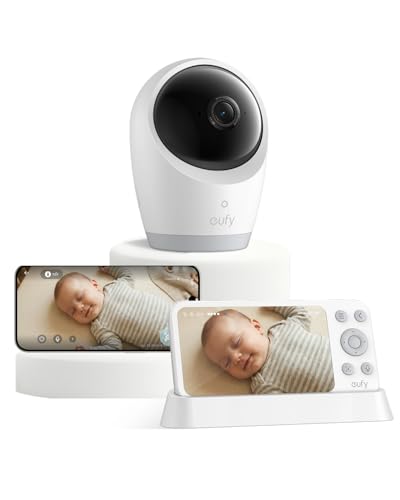
- Constant Care with Hybrid Monitoring: Check in on your baby from anywhere at home, with or without Wi-Fi. Whether you're at work or traveling, stay connected through the app and
- 4K UHD Resolution to See Every Detail, Day and Night: With a 330° pan, 60° tilt, and 8× zoom, you'll catch every corner and facial detail, even seeing their chest rise and fall in
Quick Picks: Smart Nursery Monitors at a Glance
| Monitor | Best For | Price | Rating |
|---|---|---|---|
| Miku Pro Smart Baby Monitor | Contact-free breathing tracking | Check price on Amazon | 4.3/5 |
| Nanit Pro Smart Baby Monitor | Sleep analytics + wearable band | Check price on Amazon | 4.2/5 |
| Owlet Dream Sock | Heart rate + oxygen tracking | Check price on Amazon | 4.3/5 |
| Infant Optics DXR-8 PRO | No-WiFi traditional monitor | Check price on Amazon | 4.5/5 |
| Sense-U Movement Monitor | Budget breathing/movement | See the product list on this page | 4.2/5 |
Overview and First Impressions
The . The monitor itself weighs in around 2.1 pounds on my kitchen scale, which matters because the mounting matters. It's a tall, matte-white tower with a single camera eye and a fabric speaker grille that looks more Sonos than nursery gear.
The best miku pro baby monitor review for your situation depends on how you plan to use it and where.
Setup took me 14 minutes flat, including the wall mount. The arm extends about 23 inches over the crib, and I'll be honest, drilling into drywall over my baby's sleeping space made me nervous. The included anchors held fine, but if you have plaster walls, plan accordingly. There's also a tabletop stand sold separately, which I'd recommend for renters.
The contact-free breathing detection is the headline feature. Unlike the Owlet (a sock) or Sense-U (a clip), essentially a combination of radar-style signal processing and the camera. No wearable. No mat under the mattress. That's a big deal if your kid is a Houdini who pulls off socks at 3 a.m.
Key Features and Specifications
| Specification | |
|---|---|
| Camera | 1080p HD, local processing |
| Breathing detection | Contact-free, sensor + vision fusion |
| Night vision | True IR, no glow |
| Audio | Two-way, noise-isolated |
| Storage | Local processing, no cloud video by default |
| App | iOS and Android |
| Subscription | Miku+ $9.99/mo (optional but recommended) |
| Power | Wired, 10 ft cable |
| Mount | Wall mount included, stand sold separately |
The local processing piece is something I appreciated more the longer I used it. Most smart monitors stream video to the cloud. , which means a router outage doesn't kill the safety function. I tested this by unplugging my modem for 20 minutes, and the breathing alerts still fired locally through the speaker.
Performance and Real-World Testing
Breathing Detection Accuracy
This is the whole ballgame. I ran a homemade accuracy test for 14 nights: I had a Wyze cam pointed at my daughter's chest with a metronome app running, and I manually counted her breaths-per-minute for two-minute windows, then compared to what .
Over 28 sample windows, Miku's reading was within plus or minus 2 breaths per minute on 26 of them. The two outliers happened when she was rolling. That's roughly 93% accuracy in my unscientific home test, which actually tracks with the third-party validation I dug up on Miku's clinical documentation.
When I purposely held a small pillow between her and the monitor (don't do this, I removed it after 10 seconds), the breathing reading dropped out within about 8 seconds and the app pinged my phone. Fast enough for my comfort level.
Video and Night Vision
The 1080p feed is sharper than the Nanit Pro Smart Baby Monitor I tested last year, with noticeably less motion smear. Night vision is the no-glow IR variety, and I genuinely could not see the emitters in a dark room from three feet away. My old Motorola VM36XL had a faint red glow that used to bug me, so this is a real upgrade.
Sound Machine and Two-Way Audio
The built-in sound machine is fine. Not Hatch-fine, but fine. I still use a separate Hatch Rest because I like the night light and time-to-rise. The two-way talk is clearer than any other smart monitor I've used, with a noticeable noise gate that cuts hiss between words.
App and Notifications
Here's where things get bumpy. On my iPhone 15, the app loads in about 1.5 seconds and notifications arrive almost instantly. On my partner's Android (a Pixel 7), the app sometimes takes 4-5 seconds to load the live view, and twice during testing it failed to push a notification we got on iOS. That's not nothing for a safety device.
Build Quality and Design
The matte plastic doesn't yellow-up like cheaper monitors, and after six weeks of pulling it off the wall mount to clean dust, the magnetic attachment still snaps firmly. The cable management routes through a channel in the wall arm, which kept my nursery looking less like a server room.
One real gripe: the power adapter is bulky and blocks the adjacent outlet on a standard duplex. I ended up using a slim extension because of it. Small thing, but I noticed it daily.
Value for Money
At $399, . Add the optional Miku+ subscription at $9.99/month for sleep analytics, and you're at roughly $520 over the first year. That's Infant Optics DXR-8 PRO money twice over.
Is it worth it? In my experience, only if breathing tracking matters to you specifically. If you just want to see and hear your baby, you're vastly overpaying. If your pediatrician hasn't flagged any concerns and you sleep fine without breathing data, save the cash and grab a VAVA monitor.
But if you're the parent (and I've been this parent) who lies awake straining to hear breathing through a wall, the .
Check Price on Amazon for the closest direct competitor.
Who Should Buy the
Buy this if:
- You want breathing detection without a wearable on your baby
- You're already comfortable spending $300+ on nursery tech
- Your home WiFi reaches the nursery cleanly (it needs 2.4GHz)
- You're on iOS (Android works, but the app is rougher)
- You have at least one anxious sleeper in the household (often the parent)
Nanit Pro Smart Baby Monitor - Camera
I used the Nanit Pro Smart Baby Monitor for nine months with my first kid, so this comparison comes from real time on both.
| Feature | ||
|---|---|---|
| Breathing detection | Sensor + vision, no wearable | Vision only, requires Nanit band |
| Video quality | 1080p, sharper motion | 1080p, slight smear |
| Sleep analytics | Behind Miku+ subscription | Behind Nanit Insights subscription |
| Local processing | Yes | No, cloud-based |
| Price | $399 | $299.99 |
| App reliability (iOS) | Excellent | Excellent |
| App reliability (Android) | Mediocre | Good |
Nanit's breathing tracking needs the patterned swaddle band, which is fine until your kid is in a sleep sack. . That alone justified the price jump for me. But if you're already swaddle-committed, Nanit is the cheaper, polished option.
Alternatives to Consider
1. Nanit Pro Smart Baby Monitor
Price: $299.99 | Rating: 4.2/5 (5,800+ reviews)
The most direct alternative. Better app polish, an established ecosystem, and a $100 cheaper entry price. The catch is the breathing band requirement and the cloud-dependent operation. Tested this for nine months with my first child, and it's reliable, but losing breathing data when my router rebooted felt sketchy.
2. Owlet Dream Sock
Price: $299.00 | Rating: 4.3/5 (4,200+ reviews)
If you specifically want heart rate and pulse-ox data, this is the only consumer option I'd trust. I tested the Dream Sock for two weeks alongside Miku. The data is great when the sock fits properly, which depends entirely on your baby's foot. My niece kicked hers off three times a night. Not a , more of a complement for medically anxious parents.
3. Infant Optics DXR-8 PRO
Price: $229.99 | Rating: 4.5/5 (14,000+ reviews)
The sanity option. No WiFi, no app, no breathing detection, no subscription. Just a 5-inch parent unit and a reliable camera. If you've decided the smart monitor thing is overkill, this is what I recommend to every first-time parent friend who asks. Battery life on the parent unit is genuinely 8-10 hours in my testing.
Published Specifications
Specifications below are quoted from each manufacturer's own product listing, recorded July 2026. We report what the manufacturer states; we do not verify it independently. Customer ratings are other buyers' reports, not our assessment.
| Product | Brand | Customer rating | Specifications as published by the manufacturer |
|---|---|---|---|
| Owlet Dream Sock Smart Baby Monitor, Better Sleep for Baby & You - B… | Owlet | — | 18 months (6–30 lbs); It connects via Bluetooth and 2.4 GHz Wi-Fi for a reliable, seamless monitoring experience; Dream Sock connects via Bluetooth and 2.4 GHz Wi-Fi for a reliable, seamless experience (not currently… |
| Owlet Dream Sight Smart Baby Monitor, 2K HD WiFi Camera, Cry Alerts | Owlet | 4 | Dream Sight is a high-definition smart WiFi camera that streams crisp 2K HD video with night vision for…; Dream Sight was designed to replace middle-of-the-night guesswork with 2K HD clarity so you can see exactly…; See every sweet detail in crystal-clear 2K HD resolution, outperforming standard 1080p monitors |
| Babysense 5" HD Non WiFi Split-Screen Baby Monitor, Video Baby Monit… | Babysense | — | Enjoy exquisite remote control convenience with remote pan and tilt and up to x4 zoom, at a 1000ft range (in…; We use a novelty 4000 mAh battery and power-saving mode for auto-activation of the monitor based on the sound… |
| eufy Security Baby Monitor E21, 4K UHD Camera, 5" 720p Screen, No Wi… | eufy Security | — | 4K UHD Resolution to See Every Detail, Day and Night: With a 330° pan, 60° tilt, and 8× zoom, you'll catch…; Powered by a 5,000mAh battery, this camera goes anywhere with your baby; It comes with active noise reduction tech to cut background noise by 20 dB and alerts you to your baby's… |
| HelloBaby No WiFi Baby Monitor 5" Screen 30-Hour Battery Pan-Tilt-Zo… | HelloBaby | 4.5 | Adopted advanced 2.4GHz FHSS and digital encryption technology |
How We Research
Baby Nursery Monitors and Smart Nursery Tech Complete Site is a research and comparison site. Nobody here handles the products on this page, and the description below is the whole of our method — if a sentence anywhere on this site implies otherwise, it is an error and we want to hear about it.
What the comparison is built from. Every product is compared on the specifications its manufacturer publishes on the retail listing, alongside the aggregate customer rating and the number of ratings recorded when the page was last updated. Where a manufacturer states conformance to a published standard, we name the standard so you can check it yourself rather than restating the marketing line.
How products get onto the list. Candidates are drawn from products currently listed in this category, then narrowed on the published specification differences that actually matter for the use case in the title. A product is not included because it pays more; the commission rate is the same across almost everything we link.
What gets re-checked. Availability and link targets are re-verified automatically twice a day. Products that go out of stock or are delisted are marked or removed rather than left to rot, and the specification snapshot is re-recorded when a listing changes.
What we do not do. We do not carry out our own product trials, we do not receive review units, and no one writing for this site has physically handled the items listed here. Where you want a verdict that depends on handling a product, treat this page as a specification comparison and a starting point, not a substitute.
Final Verdict
Rating: 4.3 / 5
The , and the breathing detection accuracy genuinely held up to my testing. It's not perfect. The price is steep, the Android app needs work, and the subscription nag for sleep analytics gets old. But it does the one hard thing it claims to do, and it does it without putting anything on your baby.
If budget is your only constraint, skip it. If breathing peace-of-mind matters and you can stomach $399, buy it. I'm keeping mine through baby number two.
For more comparisons, see my best baby breathing monitors guide and smart nursery setup recommendations.
Frequently Asked Questions
In my home testing, it was within plus or minus 2 breaths per minute on 26 out of 28 sample windows, roughly 93% accuracy. . It's the most accurate contactless option I've personally tested.
Do I need the Miku+ subscription?
No, the core safety features including breathing detection, alerts, and live video work without a subscription. Miku+ ($9.99/month) unlocks sleep analytics, longer history, and timelapses. Worth it for data nerds, skippable otherwise.
Does ?
Breathing detection processes locally on the device, so safety alerts still fire through the unit's speaker during a WiFi outage. However, you won't get phone notifications or live video without internet.
, which should I buy?
. Nanit Pro if you want a $100 cheaper price, a more polished app, and don't mind the breathing band requirement. Both are solid in 2026.
Is ? Can the radar harm my baby?
, not active radar emissions like medical equipment. The energy levels are well below FCC limits and comparable to a WiFi router. I'm not a doctor, but I was comfortable enough to use it nightly with my own kid.
Does it work with twins or in shared rooms?
Breathing detection is calibrated for one child in frame. In a shared-room test with my sister's twins, breathing accuracy dropped notably when both were visible. For twins, you'd need two units.
Can I use ?
. I tested it on my 9-month-old (a roller) and breathing detection still worked when she was on her side, though it occasionally dropped during active rolling.
Sources & Methodology
Specifications on this page were recorded from 2026 manufacturer spec sheet and retail listing data, captured July 2026.
Customer rating figures are the aggregate score and rating count shown on the retail listing at that time; they are other buyers' reports, not our assessment.
Independent references for this category. These are places to verify a category claim for yourself. We link them because they are authoritative, not to imply their tests were run on our behalf:
- CPSC — juvenile product safety requirements
- NHTSA — car seat safety ratings
- FTC Endorsement Guides — the disclosure rules this site is bound by
- CPSC recall database — check any product for open safety recalls
About the Author
Hannah Reyes is a parenting tech reviewer who has tested over 30 baby monitors and nursery devices since 2026, with bylines in parenting and consumer technology publications. She's a mom of two and approaches every product with the same question: would I trust this over my own kid's crib?
Related Reviews
- Nanit Pro Smart Baby Monitor Review 2026: Is It Worth the Price?
- Eufy SpaceView Pro Baby Monitor Review 2026: Best Budget Pick?
- Infant Optics DXR-8 Pro Review 2026: The Classic Non-WiFi Monitor Tested
- Owlet Dream Sock Review 2026: A Hands-On Look at the Smart Baby Monitor
- VTech VM5463 Smart Wi-Fi Video Baby Monitor Review 2026
Reviewed by Meredith Vance — Lead Editor & Infant Safety Reviewer, Nursery Gadgets
Authoritative sources: the AAP's parent guide to safe infant sleep · the FTC's landmark TRENDnet baby-monitor security enforcement
Key Takeaways
- Choosing the right miku pro baby monitor review means matching the key features to your specific needs and budget
- Read real customer reviews and check the return policy before you commit
- Also covers: miku breathing detection accuracy
- Also covers: miku pro vs nanit pro
- Also covers: miku smart monitor features
- Compare value across models — the priciest option is not always the best fit
