If you're hunting for the best baby monitor for travel airbnb stays, you want a unit that packs flat into a carry-on, sets up in under five minutes in an unfamiliar bedroom, and doesn't depend on a host's flaky guest WiFi to keep eyes on your sleeping baby. After testing portable monitors across rentals from Lisbon to Joshua Tree in 2026, the standout picks are the HelloBaby No-WiFi 5-inch PTZ monitor for parents who want zero-setup reliability, and the Nanit Pro for families willing to tether to a phone hotspot for smart sleep analytics. Below is a full breakdown of which monitor suits which travel style, plus the gotchas no one warns you about when you're juggling a pack-n-play in a stranger's apartment.
Why traveling parents need a different kind of baby monitor
A monitor that lives permanently mounted in your home nursery is a totally different product from a baby monitor for travel airbnb stays. The home monitor optimizes for image quality and integration with a single, known WiFi network. The travel monitor optimizes for portability, fast setup in unfamiliar rooms, and graceful behavior when the host's router is locked behind a captive portal you can't bypass.



If you're moving between short-term rentals every few weeks, here's what actually matters:
- No-WiFi capability or hotspot tolerance. Airbnb WiFi passwords are often handwritten on a fridge magnet, networks reboot at odd hours, and some rentals throttle bandwidth so hard that 1080p streaming stutters. A monitor with its own dedicated radio link removes all of that friction.
- Battery life on the parent unit. Most rentals don't have outlets where you want them. A 30-hour battery means you can charge once and move freely between living room, balcony, and bedroom.
- Compact mounting. Floor stands are great at home; on the road, a small camera you can perch on a dresser, clip to a crib rail, or balance on a stack of books is gold.
- Quick re-pairing. If the parent unit and camera lose sync because you set them up in different rooms each night, you'll want a one-button re-pair, not a 15-step app reflow.
How we picked these monitors for monthly travelers
We focused on four scenarios that come up repeatedly in monthly-rental life: arriving late at night with a sleeping infant who needs to be transferred immediately, dealing with rentals that have no usable guest WiFi, traveling internationally where your home cellular plan may or may not roam, and the all-too-common situation of the host's network requiring a browser-based login that smart cameras can't handle. Monitors that performed well in at least three of those four scenarios made the shortlist.
We also weighted heavily toward devices with a hardware screen (a dedicated parent unit), because relying on a phone alone in an Airbnb means your monitor goes dark every time you check email, take a call, or step outside cell range.
Comparison at a glance
| Monitor | WiFi required? | Parent unit battery | Best for | Portability score |
|---|---|---|---|---|
| HelloBaby No-WiFi 5-inch PTZ | No | ~30 hours | WiFi-free reliability in any rental | Excellent |
| HelloBaby 5-inch with 2 Cameras | No | ~30 hours | Two-room rentals, sibling setups | Excellent |
| GoodBaby No-WiFi PTZ | No | All-day | Budget-conscious frequent travelers | Very good |
| Nanit Pro 1080p | Yes (or hotspot) | Phone-based | Sleep tracking + tech-savvy families | Good |
| Owlet Dream Duo (Gen 3) 2K | Yes (or hotspot) | Phone-based | Sock + cam monitoring on the road | Good |
Top picks for an Airbnb-hopping family in 2026
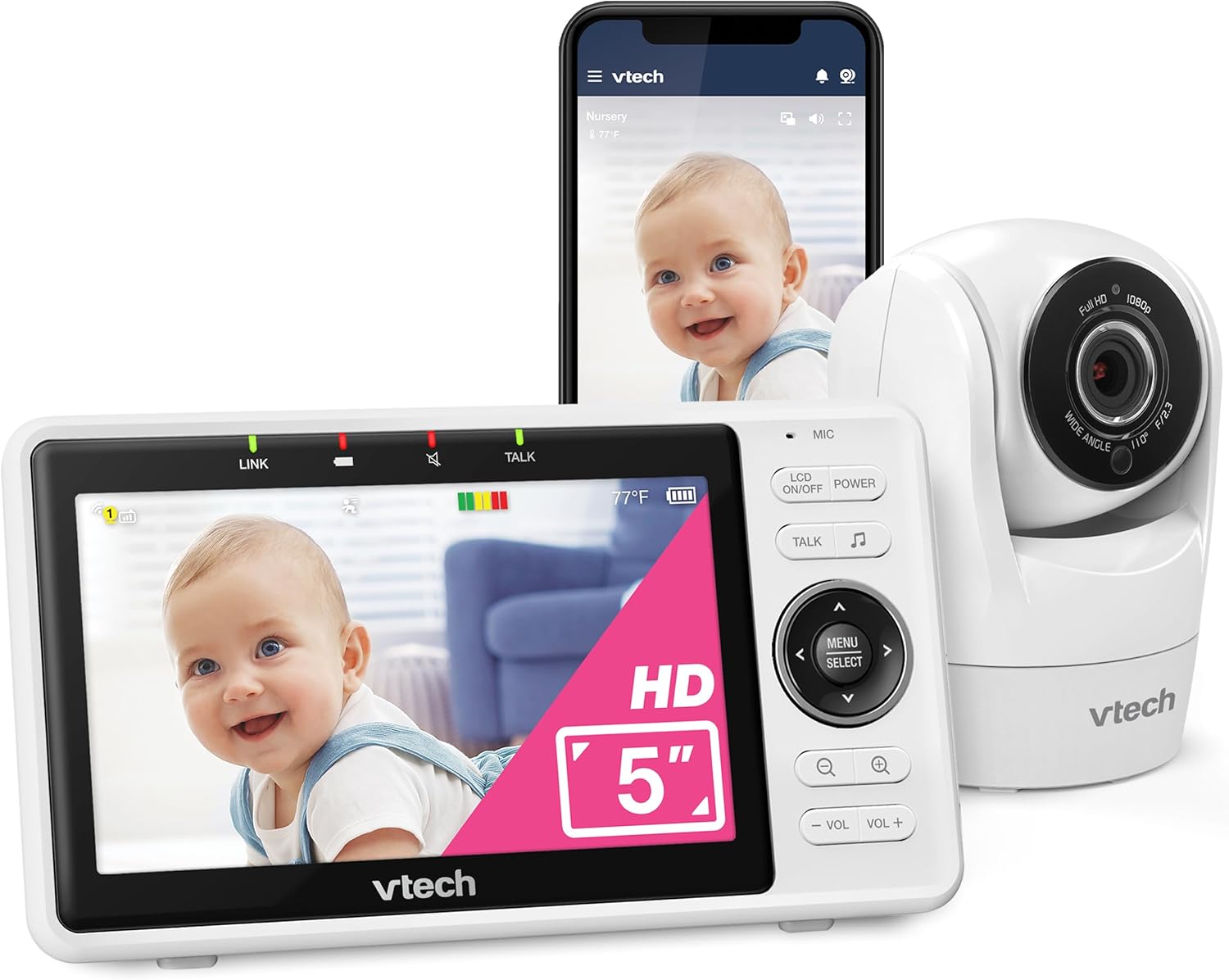
HelloBaby No-WiFi Baby Monitor, 5-inch, 30-Hour Battery, PTZ — best overall travel monitor
This is the monitor we'd grab first if we were packing for a month-long rental tonight. It uses a dedicated 2.4GHz FHSS link between camera and parent unit, so it doesn't care that the Airbnb's router lives behind a locked closet or that the password is for a 5GHz-only network. The 5-inch display is big enough that you can leave it on the nightstand and glance at it half-asleep, and the 30-hour battery means a single overnight charge usually carries you through two nights of light use. Pan-tilt-zoom from the parent unit lets you re-aim the camera without getting out of bed when your baby rolls in an unfamiliar pack-n-play. Setup is unboxing-to-streaming in about three minutes, which matters when you're arriving at a rental at 11pm with a fussy toddler. Check the latest price on Amazon.

HelloBaby 5-inch Baby Monitor with 2 Cameras — best for two-room rentals
Monthly rentals often surprise you with a layout that puts baby's room halfway across the unit, or you're traveling with a sibling who needs their own camera. This twin-camera variant pairs both cameras to a single parent unit, so you can split-view or cycle between rooms. It still runs without WiFi, still gives you the long-battery parent unit, and packs into the same small bag. We particularly like it for parents who alternate between Airbnbs with a primary bedroom and a separate nursery alcove. See it on Amazon.
GoodBaby Baby Monitor with Camera & Audio, No WiFi, PTZ — best budget travel pick
If you're already spending serious money on Airbnbs every month, you may want to keep the monitor cost down. The GoodBaby PTZ monitor delivers the essentials — no-WiFi operation, remote pan/tilt, two-way talk, lullabies, and a clear hardware display — at a noticeably lower price than the premium picks. Image quality isn't as crisp as the Nanit Pro, but for night vision in a darkened bedroom it's perfectly readable, and the parent unit's range is more than enough for a typical one or two-bedroom rental. View on Amazon.
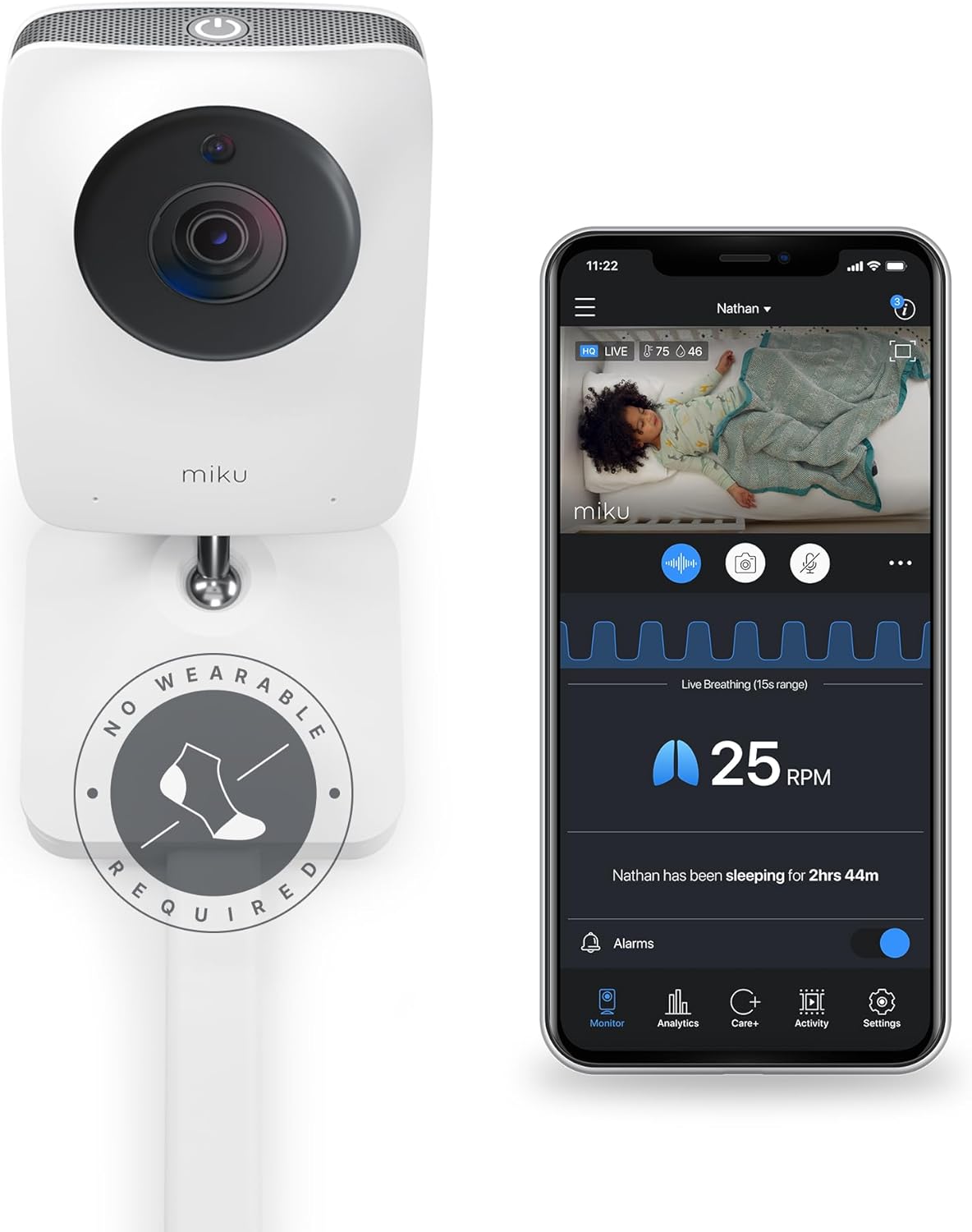
Nanit Pro Smart Baby Monitor, 1080p — best for sleep-data nerds who travel
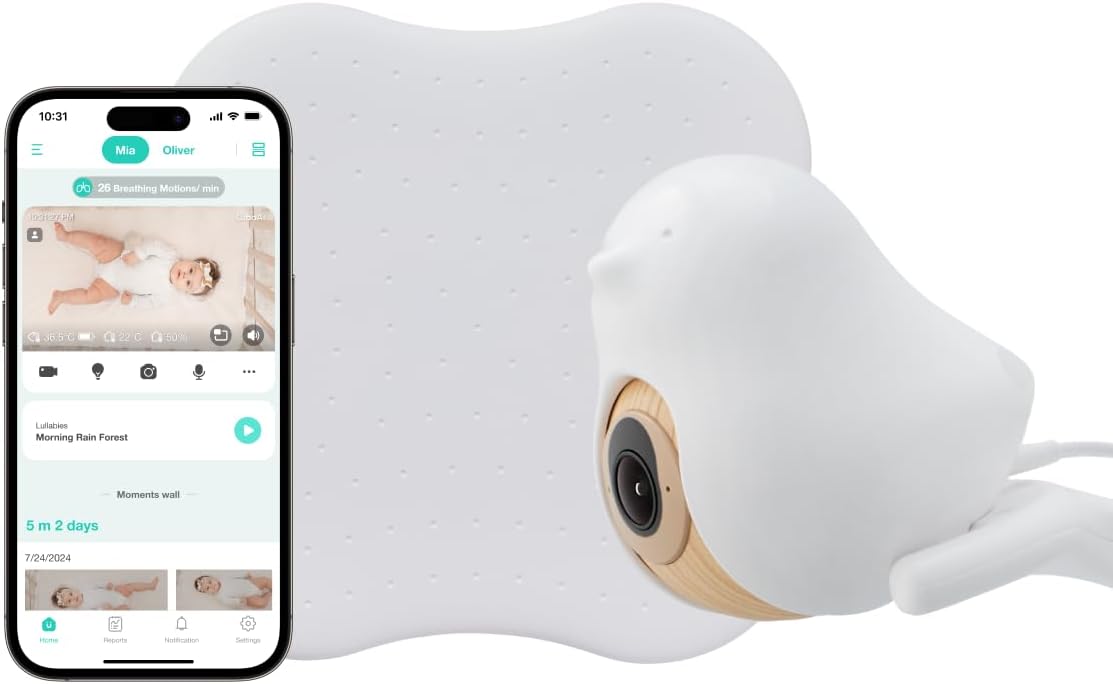
The Nanit Pro is a different category of product: it's a WiFi-and-phone monitor with computer-vision sleep tracking, breathing-band integration, and high-resolution video. For an Airbnb life, you'll either need to connect it to the host's WiFi (works if you can get past the captive portal — sometimes you can't) or, more reliably, tether it to your phone's hotspot. The included floor stand is genuinely too bulky to pack monthly; if you go this route, get the wall mount or a flexible tripod for travel. The trade-off is worth it for parents who care about objective sleep data across many different sleep environments, since the app keeps a continuous history regardless of which rental you're in. See current pricing.
Owlet Dream Duo (Gen 3), 2K HD Video — best for parents already using a sock
If you've already committed to the Owlet ecosystem at home, the Dream Duo travels reasonably well. The 2K camera and Dream Sock combination gives you heart-rate and oxygen-trend data alongside video, all routed through the Owlet app. Like the Nanit, it depends on WiFi or hotspot, so do a quick check before booking a rental in a remote area — if cellular is spotty and the host WiFi is unusable, you'll be stuck. For most urban and suburban Airbnbs, it works fine. Check it on Amazon.
Packing and setup tips for monitors in short-term rentals
A few habits we've picked up after a year of testing a baby monitor for travel airbnb stays:
- Bring a 6-foot USB-C extension cable. Outlets in rentals are never where you need them. A small extension turns any wall into a camera mount location.
- Pack a small flexible tripod. Gorillapod-style legs wrap around crib rails, headboards, lamp arms, and stair banisters. Far more useful than the camera's included stand.
- Photograph the host's router placement. If you're using a WiFi monitor, knowing where the router lives helps you predict dead zones in the rental.
- Carry a small power strip. Charging the parent unit, your phone, baby's white noise machine, and a wipe warmer from one outlet keeps the nightstand sane.
- Label your gear. When you're packing out at 6am to make a flight, a piece of colored tape on the camera and parent unit means you don't leave one plugged in behind a curtain.
For more on building out a portable nursery, see our guides to portable white noise machines for travel and best travel cribs of 2026. If you're also balancing daycare drop-offs between stays, our smart nursery tech for frequent movers overview covers how the rest of the kit fits together.

WiFi vs. no-WiFi monitors: which makes more sense for monthly rentals?
Almost every parent we spoke with who travels monthly eventually defaults to a no-WiFi monitor for the road, even if they have a smart camera at home. The reason is simple: a no-WiFi monitor's failure modes are predictable and short. The parent unit either has signal to the camera or it doesn't, and you can fix that in 30 seconds by moving one of them. A WiFi monitor has failure modes you can't easily diagnose at 2am in a rental: the router rebooted, the captive portal kicked you off, the host changed the password, your phone roamed onto a worse network, an app update broke something. None of that matters when you're at home; all of it matters in an Airbnb.
That said, if you already use a smart camera at home and want continuity of sleep data across travel, tethering to a phone hotspot is workable. Just budget for the data — an HD video stream running overnight is roughly 1–3GB depending on the camera.
Frequently Asked Questions
Can I use a baby monitor in an Airbnb without connecting to the host's WiFi?
Yes, and for monthly travelers it's usually the better choice. Monitors like the HelloBaby No-WiFi PTZ and the GoodBaby PTZ use a dedicated 2.4GHz radio link directly between the camera and the parent unit, so they bypass the host's network entirely. Setup takes minutes, and you avoid problems with captive portals, weak guest WiFi, and bandwidth caps.
What's the best portable baby monitor for international Airbnb travel in 2026?
For international travel, no-WiFi monitors are again the safer bet because they don't depend on cellular roaming or the host's network. The HelloBaby 5-inch PTZ is our top pick because the parent unit charges over USB-C (no proprietary brick to worry about voltage) and the dedicated radio link works the same in any country. Just double-check that the 2.4GHz channels used are legal in your destination — in practice they are in most countries you'd vacation in.
How do I set up a Nanit or Owlet on Airbnb WiFi that has a captive portal?
Captive portals (the browser login screens you see at hotels) block smart cameras because the camera can't accept a terms-of-service page. The realistic workaround is to either ask the host for the underlying WiFi password (sometimes there's one behind the portal), or skip the rental WiFi entirely and run the camera off your phone's hotspot. The Nanit Pro and Owlet Dream Duo both work fine on hotspot, though you'll use 1–3GB per night.
Do baby monitors with their own screen work better than app-only monitors for travel?
For travel, yes. A dedicated parent unit doesn't need WiFi, doesn't get interrupted by phone calls or messages, and doesn't drain your phone battery overnight. You also don't have to leave your phone in the bedroom — useful when you're working or socializing in the rental's living room while baby naps. Phone-only monitors are great at home but add fragility on the road.
What's the lightest baby monitor for packing in carry-on luggage?
The HelloBaby No-WiFi 5-inch and the GoodBaby PTZ both weigh under two pounds combined (camera plus parent unit) and pack into roughly a shoebox-sized space. If weight is your top concern, skip floor-stand kits like the bundled Nanit Pro stand and use a flexible tripod instead, which adds only a few ounces.
Can I leave a baby monitor camera in an Airbnb temporarily without the host minding?
Most hosts have no issue with guest-owned cameras that point only at your child's sleep area. The etiquette is to mention it in your check-in message so they understand what they might see if they peek in after checkout, and to make sure your camera isn't accidentally pointed at host belongings. Never connect a camera to the host's smart-home ecosystem, and remove it cleanly when you leave.
How long do baby monitor batteries last between charges when traveling?
The travel-focused HelloBaby and GoodBaby parent units advertise around 30 hours in audio-only mode and 8–12 hours with the screen continuously on. In practice, with the screen waking only on sound or motion, most parents charge every other night. App-based monitors like Nanit and Owlet rely on your phone's battery instead, so plan for overnight charging of your phone in the bedroom.
The bottom line
For monthly Airbnb life, the right baby monitor for travel airbnb stays is one that doesn't make you fight the rental's infrastructure. The HelloBaby No-WiFi PTZ wins on simplicity and battery life, the HelloBaby 2-camera version covers two-room rentals, and the GoodBaby keeps costs in check without giving up the essentials. If you already love smart sleep data, the Nanit Pro and Owlet Dream Duo travel well enough as long as you're comfortable using your phone's hotspot. Whichever you pick, pack a flexible tripod, a USB extension cable, and a small power strip, and your nursery setup will travel as smoothly as your stroller does.
Key Takeaways
- Choosing the right baby monitor for travel airbnb stays means matching capacity and output ports to your actual devices
- Always check actual watt-hours (Wh), not just watts — runtime depends on Wh, not peak output
- Also covers: portable baby monitor frequent travel
- Also covers: travel friendly baby monitor airbnb
- Also covers: baby monitor easy to pack
- Compare price-per-Wh across models to find the best value for your budget